And How Roanoke Users Can Boost Privacy Without Losing Convenience
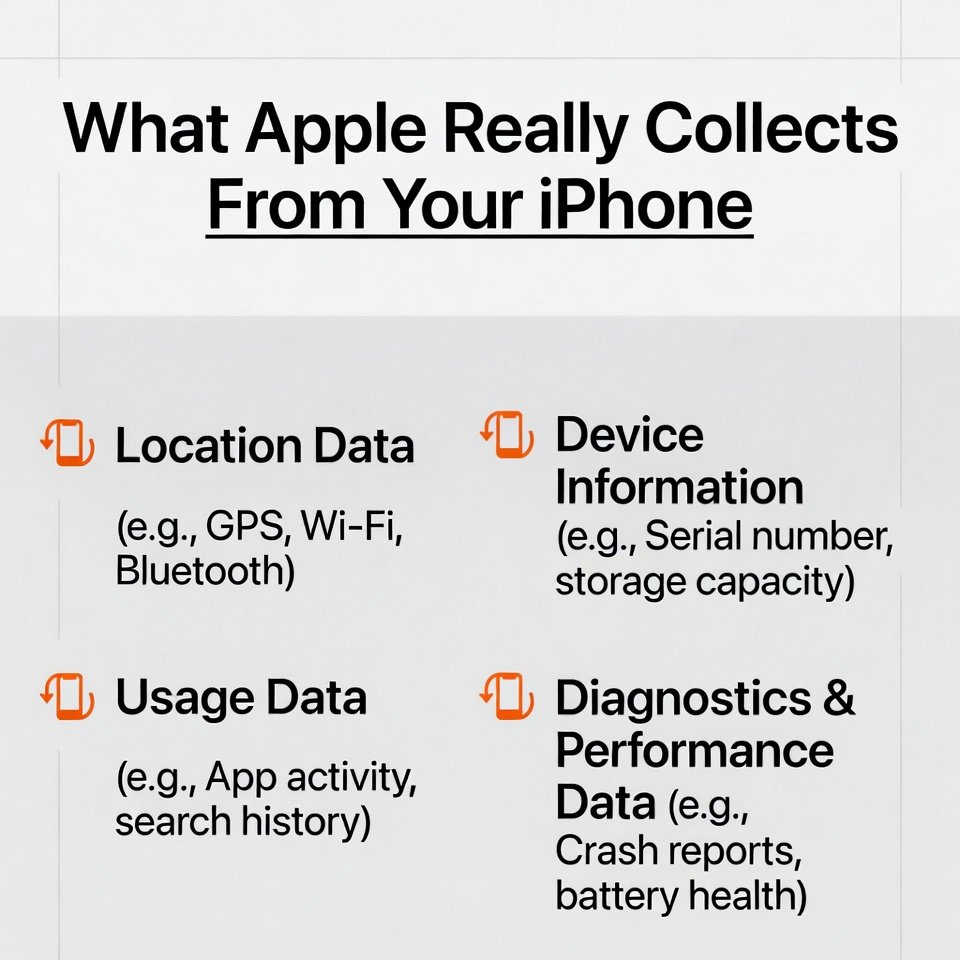
If you live in Roanoke, Salem, Vinton, or anywhere across the Roanoke Valley, your iPhone is probably your daily driver for everything. Photos. Texts. Work. Banking. Maps to the Greenway. Ordering Billy’s for dinner. But the moment you hit “Agree” on Apple’s massive terms, the question pops up:
What is Apple actually collecting? And how much control do you really have?
Here’s the straight, local-friendly breakdown.
What Actually Stays Private on Your iPhone
Apple builds the iPhone so a lot of your personal info never leaves the device, including:
- Messages protected with end-to-end encryption
- Photos stored on the device
- Health data unless you sync it
- Most app data that doesn’t use cloud services
If it’s meant to stay on the phone, Apple can’t see it.
What Data Apple Collects Only When You Turn Features On
Your iPhone sends info to Apple only when you enable features that require it, such as:
- Siri
- Dictation
- Maps
- iCloud backups
- iCloud Photos
- Find My
- Location Services
Each of these will tell you exactly what’s shared before you enable it.
Nothing sneaky.
Just feature-driven data.
Location Tracking: The Part Nobody Explains
Here’s the truth:
- Your iPhone anonymously shares the locations of nearby Wi-Fi hotspots and towers.
- This boosts global accuracy for Maps and apps that depend on GPS.
Your personal, exact location is only shared when you turn on things like Find My or specific app permissions.
Photos, Metadata, and What You Might Be Forgetting
If you sync photos with iCloud, Apple also stores:
- Where the photo was taken
- When it was taken
- Depth info from Portrait Mode
If you post photos online (especially in local Roanoke Facebook groups), that metadata can sometimes travel with the image unless removed.
Apple Pay & Wallet: Safer Than Most Apps
Here’s the part people misunderstand:
- Apple does not process your payment.
- Apple does not see your card number.
- Apple does not share your spending history.
Your banks and merchants handle all financial data.
Apple just provides the encrypted tunnel.
Lose your iPhone?
You can shut every payment method down instantly using Find My.
The Real Privacy Risk Isn’t Apple. It’s Your Apps.
Apps you install from the App Store have their own rules and privacy policies.
The biggest data collectors on your iPhone are often:
- Social media apps
- Shopping apps
- “Free” utility apps
- Ad-supported games
Apple gives you tools, but app developers decide what they collect.
That’s where most privacy leaks happen.
The Part You Came For
7 Steps Roanoke Users Can Take Today to Boost iPhone Privacy
Without Killing the Experience
These steps keep your iPhone fun, fast, and functional—but tighten up the data you share.
1. Turn Off Unnecessary Location Access
Settings → Privacy & Security → Location Services
Set most apps to:
“While Using” or “Ask Next Time”
Apps never needing your location in Roanoke include:
- Note apps
- Games
- Shopping apps
- Random free tools
This alone cuts 70% of creep-factor tracking.
2. Disable iPhone Analytics
Settings → Privacy & Security → Analytics & Improvements
Turn off:
- Share iPhone Analytics
- Improve Siri & Dictation
- Analytics for third-party apps
This stops background diagnostic data you don’t need.
3. Limit Ad Tracking
Settings → Privacy & Security → Apple Advertising
Disable Personalized Ads.
Your iPhone will still show ads, but they won’t be tied to your behavior.
4. Review Your iCloud Settings
Settings → Your Name → iCloud
Turn off anything you don’t need syncing.
Pro tip in Roanoke:
If you take tons of photos on the Parkway and don’t need them on every device, skip iCloud Photos and use local storage.
5. Lock Down Photo Permissions
Settings → Privacy & Security → Photos
If an app doesn’t need full access, switch it to Selected Photos.
Huge privacy win with zero downsides.
6. Use Stronger Security (Face ID + Passcode)
Simple but powerful.
Especially if you’re in downtown Roanoke, traveling, or using your phone for business.
7. Clean Up App Permissions Monthly
A quick once-a-month audit:
- Location
- Bluetooth
- Photos
- Microphone
- Camera
- Contacts
Most apps don’t need everything they ask for.
This one habit keeps your digital footprint tiny.
Final Word for Roanoke
Apple’s system isn’t the villain.
Your iPhone shares data only when you turn things on.
Most privacy risk comes from the apps you install—not Apple itself.
With a few quick settings changes, you keep the convenience, the camera, the features, and the speed…
without feeding unnecessary data to the world.
Leave a Reply